• Skip to primary navigation
  • Skip to main content
  • Skip to primary sidebar
technzee logo

Technzee

reaking Down the Machines That Power Computing

  • Home
  • Blog
  • Terms
    • Privacy
    • Disclaimer
  • Support
  • Subscribe
  • Contact
  • Show Search
Hide Search

LinuxOne

Understanding IBM LinuxONE Variants: Value Propositions, Costs, and Cloud Comparisons

August 28, 2025 by Rajeev Bagra

Introduction

IBM LinuxONE is a specialized family of enterprise-class mainframes optimized for Linux workloads. It offers exceptional performance, security, and efficiency, appealing to organizations with mission-critical applications. With variants tailored for large enterprises as well as SMEs, LinuxONE provides flexible deployment and pricing options. But how does it compare with public cloud offerings? Let’s explore.


LinuxONE Variants and Their Value Propositions

1. LinuxONE III Express

  • Target: Small and mid-sized enterprises.
  • Key Benefits:
    • Up to 2× performance over x86 for open-source workloads.
    • Built-in resilience and security.
    • Flexible elastic pricing models (pay-per-core, rental).
  • Use Cases: Financial services, data-intensive startups, and hybrid-cloud environments.

2. LinuxONE 4 Family

Variants include Emperor 4 (multi-frame), Rockhopper 4 (single-frame), and 4 Express (pre-configured for SMEs).

  • Highlights:
    • Powered by Telum processor with built-in AI accelerators.
    • Energy efficiency: up to 75% less power consumption than x86 equivalents.
    • 52% lower TCO over five years for SMEs.
    • Pre-configured Express model simplifies deployment.

3. LinuxONE 5 (2025 Onward)

  • Processor: Telum II with enhanced AI inferencing capabilities.
  • Focus Areas:
    • Quantum-safe encryption.
    • Confidential computing.
    • AI acceleration for real-time workloads (e.g., fraud detection, risk analysis).
  • Scalability: Designed for seamless expansion with fewer overheads.

Cost Estimates

  • LinuxONE 4: Hardware base pricing starts at around $135,000 (excluding software/services).
  • TCO Advantage: IBM claims 50–60% cost savings over five years compared to equivalent x86 setups due to energy, space, and consolidation efficiencies.
  • Elastic Pricing: Rent-per-core or pay-per-use models bring cloud-like flexibility on-prem.
  • LinuxONE 5: Pricing not yet public, but expected to be premium-tier with focus on AI and security.

LinuxONE vs. Cloud Offerings

Feature LinuxONE Mainframes Cloud (e.g., IBM Cloud, AWS, Azure)
Security Industry-leading encryption, confidential containers Strong, but hardware is shared infrastructure
Performance High consolidation, AI-optimized with Telum processors Flexible, depends on chosen instance types
Cost Model High upfront or rental-based, lower long-term TCO OPEX-friendly, scales easily but can add up
Scalability Large, but manual expansion Instant, global scalability
Hybrid Cloud Tight Red Hat OpenShift integration, strong resilience Native cloud services integration

Final Takeaways

  • LinuxONE is ideal for organizations demanding ultra-high availability, strong compliance, and workload consolidation. It’s particularly attractive in finance, government, and mission-critical sectors.
  • Cloud offerings shine in flexibility, global scalability, and lower upfront investment.
  • Many enterprises adopt a hybrid approach — running sensitive workloads on LinuxONE while leveraging the public cloud for less regulated, elastic workloads.

For more details, check the official pages:
  • LinuxONE 4
  • LinuxONE 5

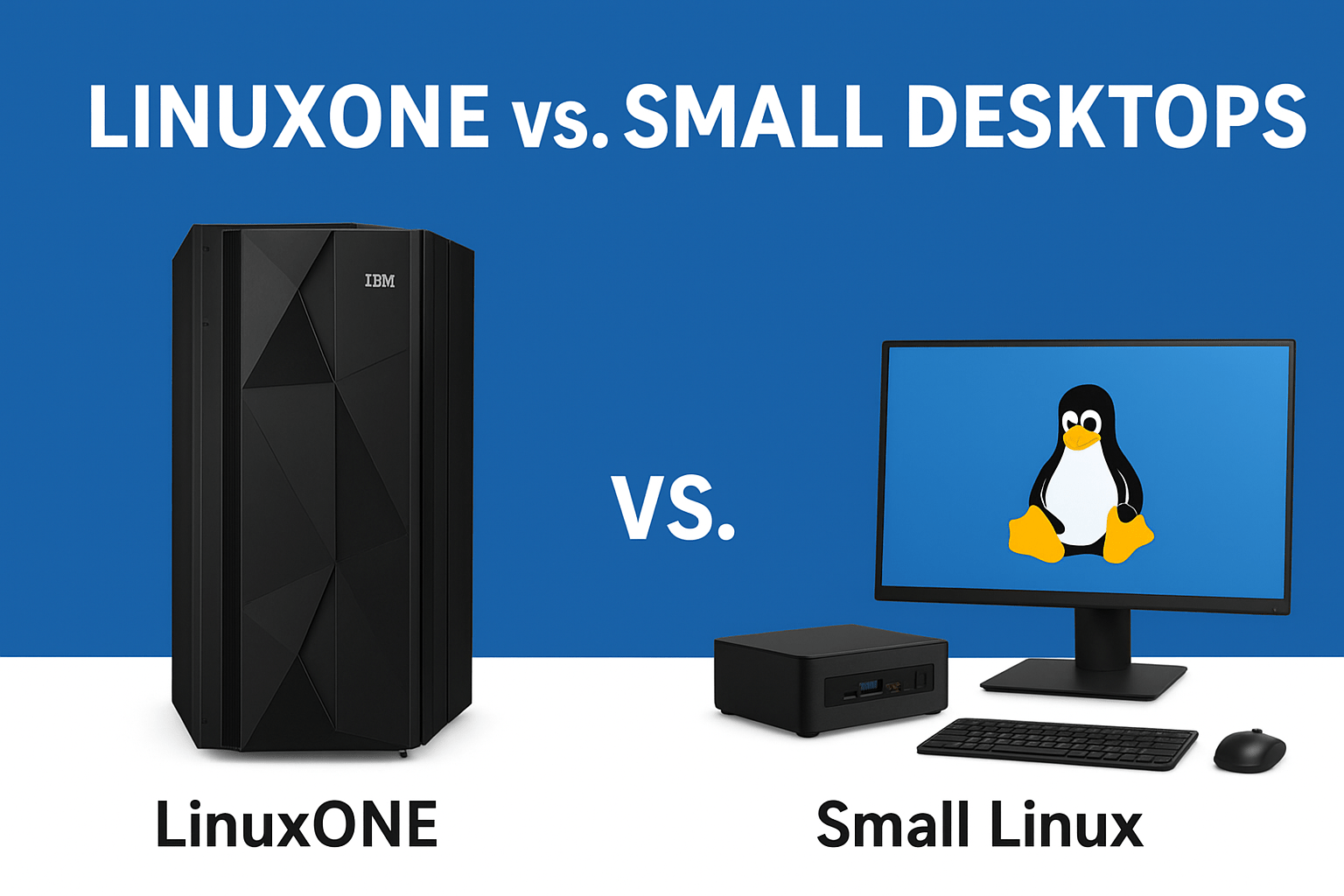
LinuxONE vs. Small Desktops: What’s Really Viable?

August 27, 2025 by Rajeev Bagra

When people hear about LinuxONE, they might assume it’s just another version of Linux that can run on small desktops or laptops. But that’s not the case. IBM LinuxONE is an enterprise-grade, mainframe-class system, designed for mission-critical workloads—far beyond the needs of a personal desktop.

So, if you’re searching for a compact, affordable Linux desktop, LinuxONE is not the answer. Let’s break down why, and then explore real options for small Linux desktops.


What Is LinuxONE?

LinuxONE is a family of enterprise servers by IBM. Unlike traditional x86 servers or desktops, LinuxONE is:

  • Built for enterprises needing extremely high uptime and throughput.

  • Optimized for Linux workloads at scale (banks, healthcare, governments, etc.).

  • Designed for consolidation—a single core can often replace 10–12 x86 cores.

  • Expensive and large—even the “entry-level” LinuxONE 4 Express packs 16 cores and 1TB memory.

👉 Bottom line: LinuxONE is overkill for desktops. It’s powerful, but it belongs in data centers, not on your desk.


Real Options for Small Linux Desktops

If you want a compact, efficient Linux desktop, here are the viable alternatives:


🔹 1. Mini PCs (NUCs and Similar)

  • Examples: Intel NUC, Beelink Mini PCs, Zotac ZBOX

  • Why choose: Small form factor, low power usage, quiet, reliable.

  • Best for: Developers, office work, coding, browsing, and lightweight server tasks.


🔹 2. Raspberry Pi & Other SBCs

  • Examples: Raspberry Pi 5, ODROID, RockPro64

  • Why choose: Affordable, tiny footprint, highly customizable.

  • Best for: Experimentation, learning Linux, IoT projects, ultra-light desktops.


🔹 3. Refurbished Micro Desktops

  • Examples: Dell OptiPlex Micro, HP EliteDesk Mini, Lenovo ThinkCentre Tiny

  • Why choose: Business-grade reliability, affordable second-hand, Linux-friendly.

  • Best for: Budget-friendly Linux desktop setups with solid performance.


🔹 4. Laptops as Desktops

  • Use an old laptop with an external monitor, keyboard, and mouse.

  • Saves space, reduces costs, and still gives portability.

  • Install Ubuntu, Linux Mint, or Fedora.


🔹 5. Custom Small Form Factor PCs

  • Build with Mini-ITX motherboards and compact cases like the Cooler Master NR200.

  • More powerful than NUCs, with space for upgrades.

  • Best for: Power users who want gaming + Linux development workstation in a small case.


Comparison Table: LinuxONE vs. Small Linux Desktops

Feature / Option LinuxONE (Mainframe) Mini PC (NUC, Beelink) Raspberry Pi / SBC Refurbished Micro Desktop Mini-ITX Custom Build
Size Rack/Mainframe Palm-sized box Credit-card sized Small desktop box Compact case
Cost $$$$$ (Enterprise) $$–$$$ $ $–$$ $$–$$$$
Use Case Enterprise workloads Coding, office, dev Learning, IoT, DIY Affordable home desktop High-performance dev
Power Consumption High Low Very Low Low–Moderate Moderate–High
Best For Banks, governments Small business, devs Hobbyists, makers Students, freelancers Power users, gamers

Final Thoughts

LinuxONE is not meant for small desktops. It’s a mainframe-level solution for enterprises.

If you want a viable small Linux desktop, consider:

  • Mini PCs (Intel NUC, Beelink) for balance of size and performance.

  • Raspberry Pi or SBCs for low-cost experimentation.

  • Refurbished Micro Desktops for affordable, reliable everyday use.

  • Mini-ITX builds if you need serious power in a compact form.

👉 Whether you’re a student, developer, or small business owner, there’s a Linux desktop option that fits your budget, space, and performance needs.


Linux, LinuxONE, IBM Z, and Windows OS: How They Relate and Why They Matter for Programmers

August 24, 2025 by Rajeev Bagra

When learning computer science or preparing for a career in software development, you’ll encounter different operating systems. The most common names include Linux and Windows, but enterprise-grade systems like IBM Z and LinuxONE also play a crucial role in the computing world. Understanding how these systems relate, vary, and complement each other gives you a clearer picture of the OS landscape and helps you make smarter career choices.


🔹 Linux: The Open-Source Workhorse

Linux is an open-source operating system kernel created by Linus Torvalds in 1991. Over the years, it has grown into the foundation of countless distributions such as Ubuntu, Red Hat Enterprise Linux, Debian, and Fedora.

  • Where Linux Dominates:
    Linux powers over 90% of cloud servers, supercomputers, and even Android smartphones.

  • Why Programmers Care:

    • Learn system programming, shell scripting, and networking.

    • Study OS internals by exploring Linux source code.

    • Master DevOps and cloud tools like Docker and Kubernetes.

📘 Learn more: The Linux Foundation Training


🔹 IBM Z: The Mainframe Backbone

IBM Z is IBM’s family of mainframes—high-powered enterprise computers designed for maximum reliability and performance. They act as the backbone of global industries: banks, governments, airlines, and healthcare providers all rely on IBM Z for billions of secure transactions daily.

  • Key Features:

    • 99.999% uptime reliability.

    • Handles millions of transactions per second.

    • Runs both z/OS (proprietary) and Linux on Z.

  • Why Programmers Care:
    Learning IBM Z exposes you to enterprise-grade computing concepts: fault tolerance, massive scalability, and virtualization.
    You also get hands-on experience with COBOL and modern programming stacks side by side.

📘 Learn more: IBM Z Student Hub


🔹 LinuxONE: Linux at Enterprise Scale

While IBM Z supports both z/OS and Linux, LinuxONE is a specialized system designed to run Linux-only workloads.

  • What It Offers:

    • Optimized for cloud-native apps, fintech, blockchain, and AI workloads.

    • Runs modern Linux distributions like Ubuntu, Red Hat, and SUSE.

    • Built with sustainability in mind (reduced energy footprint).

    • Supports containers and Red Hat OpenShift on mainframes.

  • Why Programmers Care:
    LinuxONE combines the familiarity of Linux with enterprise mainframe power, making it perfect for learning cloud-native development at scale.

📘 Learn more: LinuxONE Overview


🔹 Windows OS: The Desktop Powerhouse

Windows grew to dominate the desktop and enterprise office ecosystem. First released in 1985, Windows is now the default OS for millions of PCs worldwide.

  • Where Windows Dominates:

    • Personal computing (desktops, laptops).

    • Gaming (strong GPU support, DirectX).

    • Corporate IT with Active Directory, Office, and .NET.

  • Why Programmers Care:

    • Strong development ecosystem for C#, .NET, and enterprise tools.

    • Commonly used for Windows Server environments.

    • Ideal if you plan to work within the Microsoft ecosystem.

📘 Learn more: Microsoft Learn – Windows


🔗 How They Relate and Differ

OS / System Type Market Focus Key Strengths
Linux Open-source kernel + distros Servers, cloud, embedded, dev tools Flexibility, transparency, community
Windows Proprietary OS Desktops, enterprise IT, gaming User-friendly, Microsoft ecosystem
IBM Z Mainframe (supports z/OS & Linux) Banking, government, critical apps Reliability, scalability
LinuxONE Linux-only mainframe Cloud-native, AI, fintech Enterprise Linux at massive scale

🚀 Why This Matters for CS Learners

  • Linux → The foundation for programming, cloud, and DevOps.

  • Windows → The desktop ecosystem and Microsoft enterprise stack.

  • IBM Z → Teaches enterprise-scale reliability and legacy-modern integration.

  • LinuxONE → Shows how Linux powers critical, modern enterprise workloads.

Together, they represent the entire spectrum of computing—from your personal laptop to the backbone of the global financial system.

By Rajeev Bagra

Primary Sidebar

Recent Posts

  • GitHub Codespaces vs VS Code: What’s the Difference? (Explained Simply)
  • Hosting a Website From a Personal Computer (Self-Hosting): Is It Possible?
  • Working with HTML & Git on Primebook (PrimeOS / PrimeX) — A Practical Guide
  • There Is No Sharp Line Between Hardware, Software, and the Cloud — It’s All One Continuum
  • Can You Use a Primebook Laptop for MCA DSC Filing?

Archives

  • January 2026
  • December 2025
  • September 2025
  • August 2025

Categories

  • Blog
  • Dell
  • IBM
  • Laptops Lenovo laptops
  • Linux
  • LinuxOne
  • LinuxONE IBM
  • mainframes
  • operating system
  • OS
  • PrimeOS AndroidOS PrimeBook HubSpot Website Builder
  • PrimeOS Operating Systems AndroidOS WindowsOS Linux
  • Windows OS
  • x86 LinuxONE mainframes IBM

Trending (30 days)

  • Working with HTML & Git on Primebook (PrimeOS /… ߎ Who this session is for Learners using Primebook /… (0)
  • Breathe New Life Into Your Old Dell Mini Laptop:… If you still have a Dell mini laptop running Windows… (0)
  • There Is No Sharp Line Between Hardware, Software,… In everyday discussions, we often draw hard boundaries between concepts… (0)
  • GitHub Codespaces vs VS Code: What’s the Difference?… When beginners start learning coding (or even when professionals switch… (0)
  • Hosting a Website From a Personal Computer… At the end of the day, every website—whether it’s on… (0)

Start your hardware journey with clarity.Read Articles

Technzee

This website may use AI tools to assist in content creation. All articles are reviewed, edited, and fact-checked by our team before publishing. We may receive compensation for featuring sponsored products and services or when you click on links on this website. This compensation may influence the placement, presentation, and ranking of products. However, we do not cover all companies or every available product.

  • Home
  • Blog
  • Terms
  • Support
  • Subscribe
  • Contact
Scroll Up