A Practical Guide to Programming, Hardware Needs, and Learning Paths
In today’s computing world, three domains dominate attention—Artificial Intelligence (AI), Gaming, and Security software (Antivirus & Password Protection).
At first glance, they seem completely different:
- AI feels like “smart machines”
- Gaming feels like “entertainment”
- Security feels like “protection”
But under the hood, they share the same computing foundations—while diverging sharply in goals, programming styles, and hardware needs.
Let’s break it down in a clear, practical, and beginner-friendly way.
🔷 The Common Ground: What They All Share
Before comparing differences, it’s important to understand that all three are built on the same core pillars.
💻 1. Programming Foundations
Regardless of domain, you’ll encounter:
- C / C++ → performance-critical systems
- Python → flexibility (especially AI & security)
- JavaScript → interfaces & tools
All three rely on:
- Data structures & algorithms
- Memory management
- OS-level interactions
⚙️ 2. Hardware Dependency
Every domain depends on:
- CPU → executes logic
- RAM → stores working data
- Storage → files, models, assets
But how they use hardware differs (we’ll explore that soon).
🔐 3. Security is Everywhere
Even if security is its own domain:
- AI must protect user data
- Games must prevent cheating
- Antivirus tools exist to secure systems
👉 Security is not optional—it’s foundational.
🔶 The Key Differences (Where Things Get Interesting)
Now let’s explore how these fields diverge in software design and hardware usage.
🧠 Artificial Intelligence (AI)
🧩 Software Approach
AI is data-driven programming.
Instead of writing explicit rules, you:
- Train models on data
- Let systems “learn patterns”
Popular tools include:
- TensorFlow
- PyTorch
🖥️ Hardware Needs
AI is extremely resource-heavy:
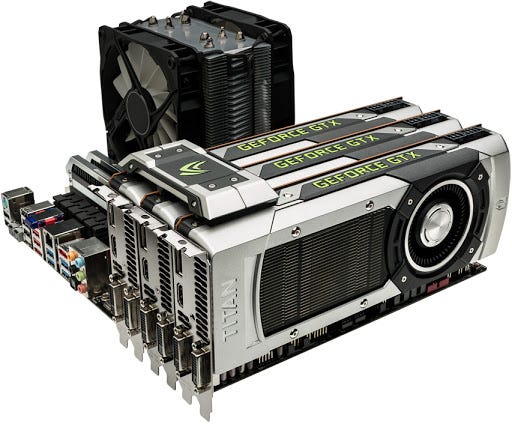
- GPU → essential for deep learning
- RAM → large datasets
- Storage → training data
👉 AI = Compute + Data Intensive
🎮 Gaming
🧩 Software Approach
Gaming is real-time, event-driven programming.
Key components:
- Graphics rendering
- Physics simulation
- Player interaction
Popular engines:
- Unity
- Unreal Engine
🖥️ Hardware Needs
Gaming demands:
- High-end GPU → real-time rendering
- Fast CPU → game logic
- SSD → fast loading
👉 Gaming = Speed + Visual Performance
🛡️ Security Software (Antivirus & Password Tools)
🧩 Software Approach
Security focuses on:
- Threat detection
- Encryption & hashing
- OS-level monitoring
Examples:
- Kaspersky
- Bitdefender
🖥️ Hardware Needs
Security tools are optimized for efficiency:
- Minimal GPU usage
- Continuous CPU monitoring
- Low RAM footprint
👉 Security = Efficiency + Reliability
⚖️ Side-by-Side Comparison
| Feature | AI | Gaming | Security |
|---|---|---|---|
| Primary Goal | Learn patterns | Real-time interaction | Protect systems |
| Programming Style | Data-driven | Event-driven | System-level |
| GPU Usage | Very High | High | Low |
| CPU Usage | High | High | Moderate |
| Memory Needs | Very High | High | Low–Moderate |
| Key Challenge | Accuracy | FPS (smoothness) | Detection accuracy |
🧭 Learning Path for Each Domain
Now the most important part—how to actually get started.
🧠 AI Learning Path
Step 1: Foundations
- Python
- Math (linear algebra, probability)
👉 https://www.python.org/about/gettingstarted/
👉 https://www.khanacademy.org/math
Step 2: Data & Machine Learning
- NumPy, Pandas
- Scikit-learn
👉 https://scikit-learn.org/stable/
Step 3: Deep Learning
- TensorFlow
- PyTorch
👉 https://www.tensorflow.org/learn
👉 https://pytorch.org/tutorials/
Step 4: Projects
- Chatbots
- Recommendation systems
- Image classifiers
🎮 Gaming Learning Path
Step 1: Programming
- C# (Unity) or C++ (Unreal)
Step 2: Game Engines
- Unity
👉 https://learn.unity.com/ - Unreal Engine
👉 https://dev.epicgames.com/community/learning
Step 3: Concepts
- Physics
- Animation
- Rendering
Step 4: Projects
- 2D games
- 3D environments
🛡️ Security Learning Path
Step 1: Basics
- Networking
- Operating Systems (Linux)
Step 2: Programming
- C / C++
- Python
Step 3: Cybersecurity
- Cryptography
- Ethical hacking
👉 https://www.cybrary.it/
👉 https://owasp.org/
Step 4: Practice
- Wireshark
- Metasploit
- Build your own password manager
🧠 Final Thoughts
If you zoom out:
- AI builds intelligent systems
- Gaming builds immersive experiences
- Security protects everything
They are not competitors—they are layers of the same digital ecosystem.
👉 The real difference lies in what they optimize for:
- AI → intelligence
- Gaming → performance
- Security → protection
🚀 What Should You Choose?
- Love math & data? → AI
- Love visuals & creativity? → Gaming
- Love systems & protection? → Security
Or even better—you can combine them:
- AI-powered security tools
- AI-driven game NPCs
- Secure AI systems